
Looking for a quiet USB desk fan? Compare the best silent USB fans with prices, pros, cons, and buying tips for a peaceful workspace.
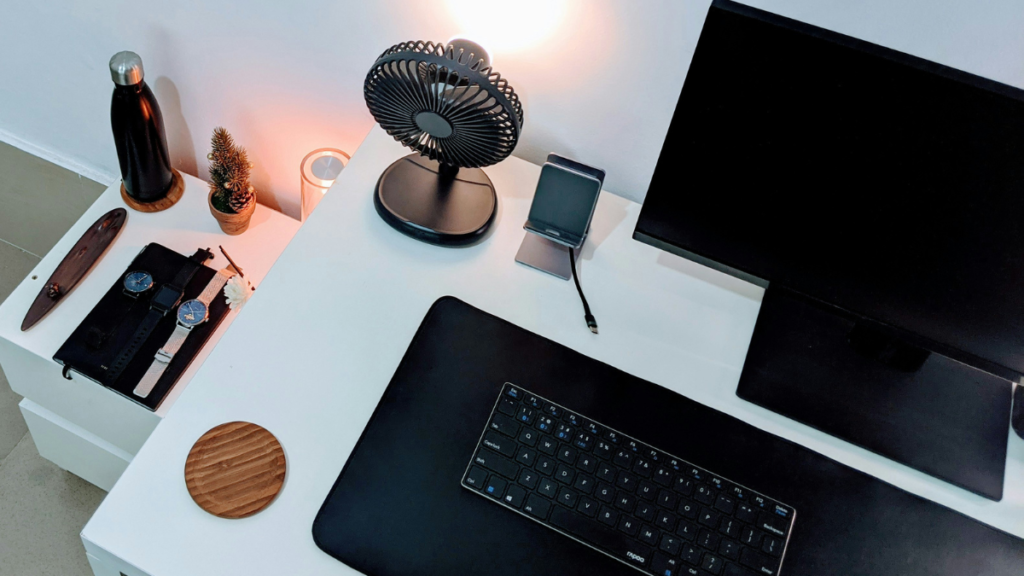
No matter if you are working from home, studying, gaming, or just looking to feel comfortable during summertime, a USB desk fan can be an amazing idea. Sadly, there is a caveat: a plenty of so-called “quiet” desk USB fans are noisy like miniature jet engines. A really quiet USB desk fan is supposed to provide a light stream of cool air without bothering you while you are in front of your laptop or trying to focus on your tasks and even at night. Luckily, technology has brought us newer improved fans with enhanced technology and blade design that provide quiet comfort.
Why Noise Matters More Than Airflow
Most people assume that more air flow means greater cooling capacity. However, while air flow does play a crucial part in cooling problems, it is rather disturbing when the fan produces too much noise during long working hours at one’s desk.
Noise can affect:
- Video calls and online meetings
- Reading and studying
- Podcast or music listening
- Audio recording and streaming
- Concentration during work
The ideal USB desk fan strikes a balance between cooling performance and quiet operation.
Understanding Fan Noise
While producers frequently tout fans as “super quiet,” their inputs are often only partially correct.
Noise is expressed in decibels (dB).
As a loose rule of thumb:
| Noise Level | How It Sounds |
|---|---|
| 20–30 dB | Whisper quiet |
| 30–40 dB | Quiet library |
| 40–50 dB | Normal office ambience |
| 50+ dB | Noticeable and distracting |
Average USB fans operate within the range of 25-35 dB at the minimal speed, which makes them great for office and sleeping purposes. Independent research shows that quality fans are capable of working at 30 dB or lower. Otherwise, cheaper products tend to be audible due to vibrations and poor quality in their bearings.
What Makes a USB Fan Quiet?
Various engineering factors influence how silent the fan is.
1. Brushless Motor: Compared to traditional brushed motors, brushless DC motors are quieter since they have less friction and less wear.
2. Larger Fan Blades: A little larger fan is able to push the same amount of air at a lower speed, which translates into less noise generated.
3. Balanced Blade: Balanced construction blades are less prone to vibrations that are responsible for buzzing noise typical of cheaper fans.
4. Rubber Feet: The usage of rubber pads allows for vibration absorption instead of transferring vibrations to your desk where they will be amplified.
5. Variable Speed Settings: Modern fans are able to have variable speed settings unlike having just “Low,” “Medium,” and “High” modes available.
Best Quiet USB Desk Fans
1. Gaiatop Minimalist USB Desk Fan (Best budget Pick)
The Gaiatop has become a popular choice because it combines affordability with surprisingly quiet operation.
Pros
- Very quiet brushless motor on low and medium speeds
- Compact and lightweight
- Three adjustable speed settings
- Adjustable tilt for targeted airflow
- Excellent value for money
Cons
- Airflow is limited on the lowest setting
- Plastic construction feels less premium
- No oscillation feature
Best for: Everyday office use
Reviewers consistently praise its quiet operation on lower speeds while still providing enough airflow for close-range personal cooling.
Price: £9.80–£15.99 (USB model); rechargeable versions cost around £15–£20. Prices vary depending on the retailer and battery capacity.
Available on:
- Amazon UK
- Gaiatop Official Store
- Zapp
2. TriPole USB Desk Fan (Best for everyday office use)
TriPole has earned a reputation for producing reliable USB-powered fans with excellent value.
Pros
- Quiet operation with minimal vibration
- 360° adjustable head
- Long USB cable (approximately 1.5 metres)
- Strong airflow for its size
- Stable base
Cons
- Can become noticeably louder at maximum speed
- No built-in rechargeable battery on standard USB models
- Plastic body may scratch over time
Best for: Office workers and remote professionals.
The fan’s adjustable angle allows users to direct airflow precisely without needing maximum speed, helping reduce perceived noise.
Price: £14–£18 depending on the version.
Available on:
- Amazon UK
- Ubuy UK
- Yorkshire Outdoor Activity Park Marketplace
3. Muji Low Noise USB Desk Fan (Best premium quite fan)
If minimalist design matters as much as performance, Muji’s USB desk fan is worth considering.
Pros
- One of the quietest USB fans available
- Elegant minimalist design
- High-quality construction
- Compact footprint
- Perfect for offices and bedrooms
Cons
- Only two speed settings
- More expensive than most USB desk fans
- Airflow isn’t as powerful as larger competitors
Best for: Minimalist offices and the people who appreciate silence rather than maximum airflow.
The reviewers have remarked on its quiet performance and mentioned that it is an excellent product for people who share the workspace with others and do not want to produce too much noise from fans.
Price: £19.95.
Available on:
- MUJI UK (official store)
4. KIMMOO Rechargeable USB Desk Fan (Best feature rich option)
Users wanting greater control over airflow may appreciate the KIMMOO model.
Pros
- Rechargeable battery
- USB-C charging
- Up to 100 speed levels for precise airflow
- Digital LED display
- Surprisingly quiet at lower speeds (around 35 dB)
Cons
- More expensive than basic USB fans
- Higher speeds produce noticeable noise
- Slightly larger footprint on a desk
Best for: Users who want maximum control over airflow and portability.
Its fine-grained speed adjustment allows users to choose the lowest comfortable airflow, helping keep noise to a minimum.
Price: £19.99–£24.99.
Available on:
- Amazon UK
- Yorkshire Outdoor Activity Park Marketplace
5. EasyAcc USB Desk Fan (Best for strong Airflow)
EasyAcc offers a slightly larger USB-powered fan that provides stronger airflow without becoming excessively noisy.
Pros
- Larger blades move more air
- Metal construction improves durability
- Stable base minimizes vibration
- Adjustable tilt
- Good balance between cooling and noise
Cons
- Takes up more desk space
- Slightly louder than compact USB fans on high speed
- Not as portable as smaller models
Best for: Larger desks and warmer home office environments.
Its larger blade diameter allows the fan to move more air at lower rotational speeds, reducing overall noise.
Price: £19.99–£28 depending on the model.
Available on:
- Amazon UK
Quick Comparison
| Product | Typical Price | Where to Buy | Best For |
|---|---|---|---|
| Gaiatop USB Desk Fan | £9.80–£15.99 | Amazon UK, Gaiatop, Zapp | Best budget pick |
| TriPole USB Desk Fan | £14–£18 | Amazon UK, Ubuy UK | Everyday office use |
| MUJI Low Noise USB Desk Fan | £19.95 | MUJI UK | Quietest premium option |
| KIMMOO Rechargeable USB Desk Fan | £19.99–£24.99 | Amazon UK | Feature-rich & rechargeable |
| EasyAcc 6-Inch USB Desk Fan | £19.99–£28 | Amazon UK | Strongest airflow |
Features Worth Paying Extra For
USB-C Recharging: Just recently USB-C has become a default standard among fans because of its compatibility with both modern laptops and chargers.
Battery-Powered Fan: Some rechargeable fans can still work when unplugged and taken to another room or even another house.
Uninterrupted Wind: With their ability to oscillate, fans can maintain air circulation even at low-speed setting.
Angle adjustment: Pointing a fan directly into your face can provide a greater cooling effect than using it on maximum power.
Common Mistakes When Buying
Going for the Lowest Price: There are many cheap fans that have inferior bearings, which become noisier with time.
Ignore reviews: Manufacturers’ noise rating systems are not always reliable; hence, reading independent reviews may give you the true picture of its performance.
Using the Fan at Maximum Speed: High-end fans also generate a considerable amount of noise at full speed. By using mid-range speed, you will likely get the same cooling effect with less noise.
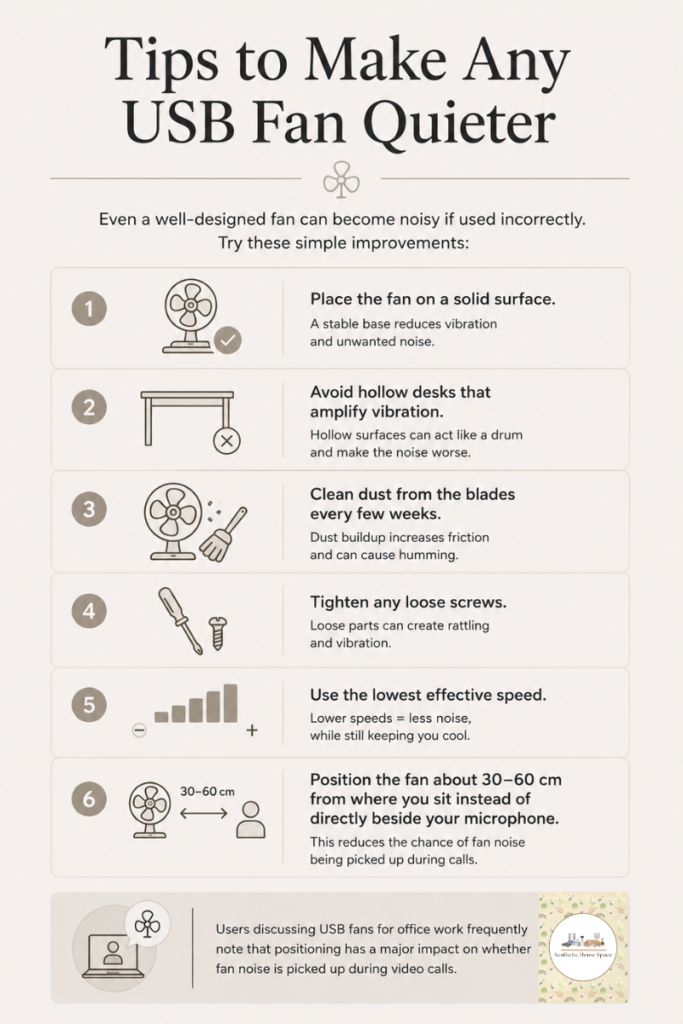
Tips to Make Any USB Fan Quieter
The best quiet USB desk fans show that staying cool can be done without being disturbed by constant noise in the background. Models with brushless motors, balanced blades, and adjustable speed settings offer comfort without disturbance when you are working, studying, or relaxing. When shopping for a quiet USB desk fan, remember that quiet fans are not necessarily expensive. What you need to look for is the presence of a brushless motor, stable design, adjustable speeds, and satisfied customers’ feedback.
